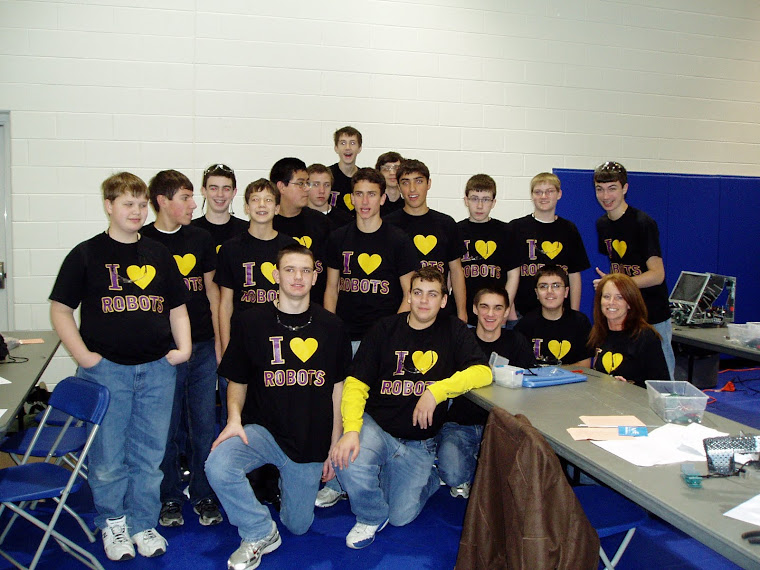
My Robotics Club
Saturday, April 30, 2011
Data Visualization
What tools did I try?
I explored photoshop, google sketchup and wordle.
Photoshop was interesting to explore. A teacher teaches this in my class once per day. I was always interested in learning some techniques but never made the time.
Google sketchup is used to make 3D sketches. It seems easy to use and it is used in many different industries (architecture, construction, design, engineering, etc.)
Wordle creates word clouds. It allows you to type/paste text, add your URL from your blog, webpage or RSS feed. I typed in my URL to my blog, you can change the language, I tried to change my words to Japanese (my husband has been working there for the past year) it was not available. You could also do a word count, to see how many times the word was used in your text.
What are you representing in the visualization you created?
I decided to try glogster and made a glog about myself. Not very many tools are related to my classes but glogster had triangles, compasses, protractors and scales (rulers) to decorate my poster. As I was designing my poster I was thinking about how I can incorporate this into my class and I came up with a few ideas. This year I had my student’s do a traditional poster, each student was to research a different type of engineering position and now I am going to have them do it in glogster. I am going to have my students design a poster about them at the beginning of the year and hang them around the room. I will have them include things like family, sports they play, interests and what colleges they plan to attend.
Click link to view my glog kronecks
Wednesday, April 27, 2011
Poll Everywhere
I teach at a private school and we did not change our spring break to the beginning of April. We have been off since April 19 and will not return until May 2. I sent a text to poll a few friends/parents to view their results. This assignment has fallen on a bad week for me.
results….Mobile Learning
What tools did you try?
I enjoyed exploring cell/camera phones and ipods in education. I feel these tools would be the tools I would like to incorporate into my class.
What ways are you thinking about integrating mobile technology into YOUR classroom?
I would like to incorporate Poll Everywhere into my classroom. I think the student’s would enjoy the in interaction in class and see the result immediately. I would like to use the poll in class for short answer or multiple choice questions. By viewing and discussing the student’s immediate results will make the assignments more exciting to the students. Although we have a ban on cell phones in class I plan to talk to my administration to see if I can test them out in my classroom. I feel there are appropriate times that cell phones can be incorporated into a lesson.
Camera phones in education. I think my student’s could use their camera phones to take pictures of products that they would like to design for their class project. They could also use this technology to capture bad designs. This technology could spike their interest and creativity. Being able to capture images and share those with the class could mean more involvement and collaboration. The student’s could take a picture of a product write about what is good or bad and add it to their blog.
What challenges (or inspirations) do you foresee?
The problem that I foresee is that the student’s will want to continue using their phones in class and will not want to use pencil and paper. That is not such a bad thing. I am going to compare how many students have cell phones to how many students have a pencil on them in class.
Sunday, April 24, 2011
WPP Part D
- Formative: Did the project get implemented as planned?
My project was implemented as planned. From the feedback I had from other teachers at my school I was a little nervous about using Edline (Course Management System). I decided to jump right in and implement the project. My project consisted of implementing an online experience for my computer programming class. I posted a pretest, movie/tutorial/ and a post test.
- Summative: Evidence of success in addressing the problem of practice
The feedback from my student’s was positive. They enjoyed the experience and want to do more with online learning. The student’s showed interest in getting more involved with teaching each other through making movies/tutorials and submitting into a library for others to learn from.
- How would you approach another project of this type differently given what you’ve learned here?
After reading the comments of what other students in CEP-812 had mentioned in the last class I took their advice I started early and implemented it as soon as possible. I was lucky to have the support from my administrators to go ahead and implement the pretest, tutorial and post test as I seen fit to make this a successful project.
- What are the lessons learned that others might benefit from knowing about?
My biggest lesson learned was to, ” just do it”. Everyone learns by doing. I was afraid at first but then I was happy I went for it.
- In what ways will you endeavor to do the same project again, and what will you change or not do?
This was a great experience for my students and me. It was easy to implement and immediate result for every one involved. I plan to add lessons to Edline for my class and have my students get more involved in improving their online experience. The next time I post a test I will make sure that I have the dates and times set correctly. By not setting these controls correctly it did not mess the students up but it just would have been more organized. The students were to take the pretest the first night and watch the tutorial and take the post test the following night. The second night the tutorial was available for them but the post test had to be taken the following night.
Mobile Learning
As I learned more about using handheld devices in a classroom I was impressed at all the different ways they can be incorporated into a learning environment. My school has a ban on using any handheld device in the school which in turn makes it difficult to test any new ideas that I would like to try with them. Most teachers at De La Salle feel there are opportunities for student’s to embrace these tools but also feel it might be easier for student’s to share work or answers that should have been completed as an individual assignment. Our school only has two computer labs and the library has a few computers which are very slow. The student’s dread using them they say there is not enough time to even log onto them let alone get any work completed. The use of hand held devices would solve some of these problems if they were allowed to use handheld devices.
I think my student’s would benefit from using smart phones in class to record presentations, answer questions, collaborate with teacher’s/student’s, use of the calculator, record voice notes, take photos, use the dictionary and use research tools on the web.
Saturday, April 16, 2011
Group Leadership Project
Part B
Storyboard and Script
Kit and I decided to do our project on WizIQ. We have been communicating through the discussion forum, WizIQ, prezi, emails and our cell phones. We have had a great experience working together on this project.
Kit has been working very hard on creating the storyboard and script. I gathered the information for the comparison chart and make tutorials for the presentation. Together we have completed our Part B of our project.
The most difficult part of our experience has been that there is only the two of us to divide the work between. In some cases this has worked out to our advantage. Kit is great with the creative part of the project and I enjoy doing the research and tutorials.
As kit and I continue to complete this project, Kit is going to be working on joining the information and videos that have already been created to develop our presentation. I will be making more tutorials to explain how to use WizIQ.
Click here to view our storyboard designed on prezi.
Subscribe to:
Posts (Atom)